info@orbitmediasolutions.com






Enterprise Resource Planning (ERP) software integrates processes such as finance, purchasing, sales, and inventory management. Shared workflows reduce duplicate records and give teams a consistent view of business activity. These platforms can be delivered through cloud or on-premises models, depending on the product. Read Oracle's ERP overview for a definition.
A centralised database gives authorised teams access to consistent information. A sales order can connect customer, stock and financial records, reducing repeated data entry. User permissions help ensure employees see the information needed for their roles.
An integrated workflow can link an order with stock allocation, purchasing, dispatch and invoicing. Purchasing teams can identify items to replenish, while finance teams can follow the transaction through to payment. This shared process gives managers a clearer view of order progress.
Choose modules around your workflows. Some businesses prioritise accounting and stock, while others need production planning or staff management. Orbit lists the following modules and capabilities:
| Business module | Published capabilities |
|---|---|
| Finance and accounting | Billing, UK tax compliance, budgeting, reporting and automation |
| HR and payroll | Payroll automation, attendance, onboarding and performance tracking; HR management and payroll software |
| Inventory and warehouse | Stock control, barcode functions, multi-location management and forecasting |
| Supply chain management | Vendor sourcing, order tracking and procurement automation |
| CRM and sales | Lead management, sales automation and pipeline tracking |
| Manufacturing | Bill of Materials (BOM), production planning, cost control and quality management |
ERP accounting software links financial records with wider operations. Its processes can include the general ledger, Accounts Payable for supplier invoices and outstanding payments, and Accounts Receivable for customer invoices and incoming payments. Other functions include invoicing, expense management, budgeting and financial reporting. Orbit lists billing, budgeting and reporting in its finance module. For standalone bookkeeping, see accounting software for UK businesses.
These modules track stock, suppliers and purchase orders. Orbit lists barcode functions, multi-location stock control, forecasting and procurement automation. For specialist tools, see inventory management software and warehouse management software.
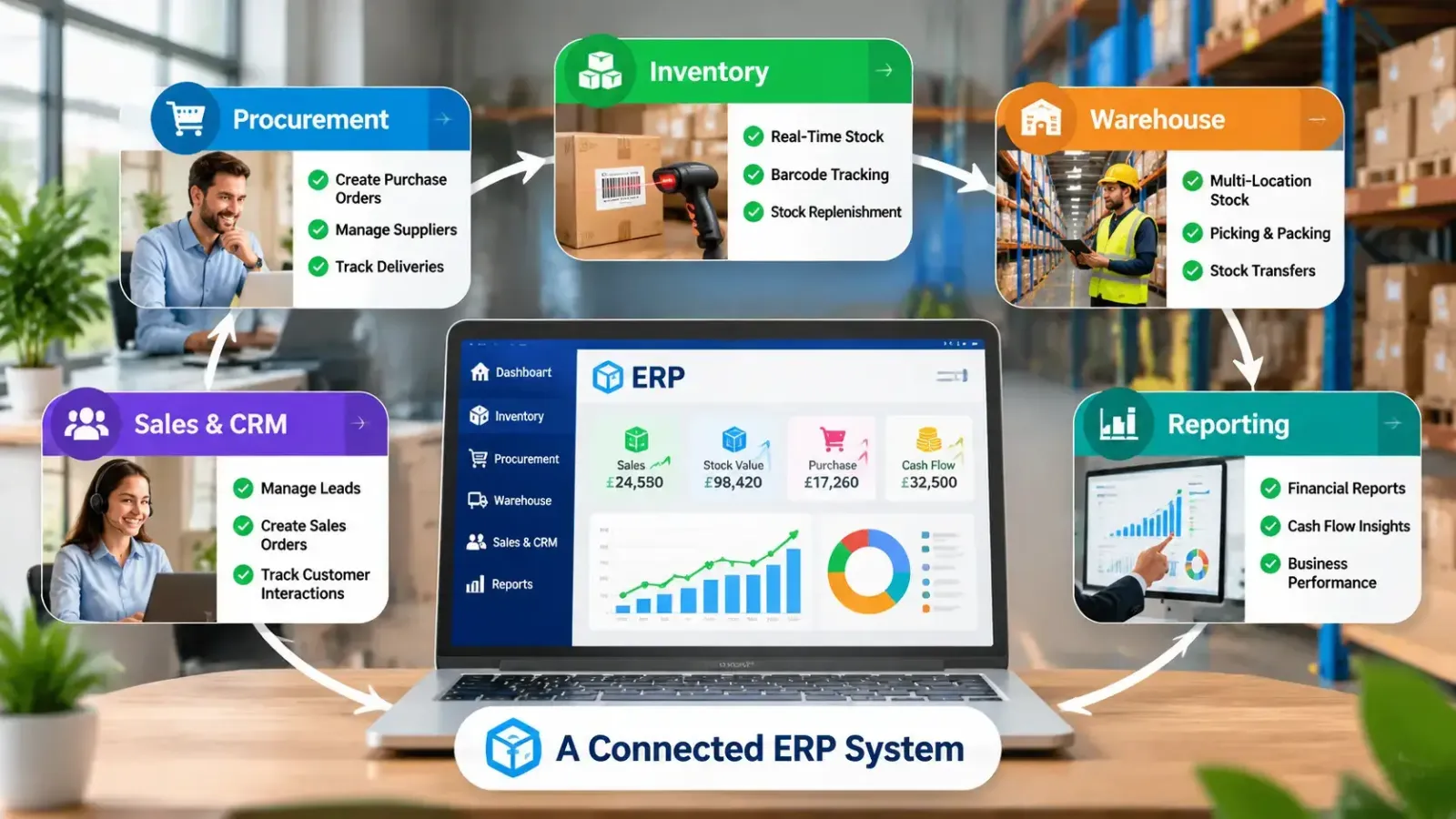
Connected sales workflows bring leads, quotes, orders and follow-ups together. CRM records capture customer interactions, while orders can be linked to stock and finance. Orbit lists lead management, sales automation and pipeline tracking. See its CRM software.
Reports combine finance, sales, purchasing and stock data. Managers can review revenue, expenses, invoices and stock without collecting separate spreadsheets. Accurate source data and clear reporting definitions remain essential for useful business intelligence.
An integrated platform is not essential for every small business. However, ERP for small businesses becomes useful when teams duplicate data, manage stock across locations or need a clearer view of orders and costs. A growing wholesaler, for example, may need purchasing and stock records connected to sales. Orbit offers modular business software services.
Connected workflows can reduce repeated entry of customer, supplier, and order details. They also help teams follow approvals, invoices, and orders. The results depend on how the system is configured and whether employees use the agreed processes.
Shared stock records show availability and replenishment needs. Connecting sales, inventory, and warehouse activity makes order status easier to track and can reduce record errors. Staff can check the same stock information instead of maintaining separate spreadsheets.
A modular platform lets a growing business prioritise essential functions and add modules as needs change. Orbit says its modules can be customised to meet business requirements. Before expanding, businesses should review user numbers, reporting needs and integration requirements.
An online ERP system for small-business operations can suit teams that need to share information across locations. Check access, data protection, integrations, support and total cost before choosing a provider.

Cloud-based software runs online. Orbit describes its platform as supporting cloud deployment and mobile access. This can help authorised staff check information away from the office. Confirm how updates, backups, permissions, support and subscription costs are handled, as these details vary by provider and contract.
Cloud deployment may suit teams across branches or remote locations. Check internet reliability, data handling, integrations, and data export options before changing providers. Ask where data is hosted and what happens if the contract ends.
| Consideration | Cloud platform | On-premises platform |
|---|---|---|
| Hosting | Provider-managed environment | Business infrastructure |
| Access | Online for authorised users | Business network or configured remote access |
| Main checks | Availability, backups and subscription terms | Hardware, maintenance, security and upgrades |
Orbit describes cloud deployment, not an on-premises edition. Confirm the options available for your required setup.
The best small business accounting software depends on the company's needs. Standalone tools suit bookkeeping, invoicing, expenses, and VAT records. A broader business platform is more relevant when finance must connect with stock, purchasing, sales, or payroll. The key question is whether those connections remove manual work that currently slows the business.
Standalone accounting software may suit a freelancer or small company with straightforward finances. It can record income and expenses, create invoices, and reconcile bank transactions. If you do not need connected stock, purchasing, or production records, a full business management platform may add unnecessary complexity and cost.
Accounting ERP software suits businesses whose finance teams rely on other departments. Purchase orders can link to supplier bills, while sales and inventory records inform reporting. Orbit lists finance alongside HR, payroll, inventory, supply chain, CRM, sales, and manufacturing functions.
Retailers need connected sales, stock, and purchasing information. Manufacturers need visibility over materials, production and finished goods. An integrated platform can link these activities with finance and reporting. Orbit lists retail, e-commerce, manufacturing and engineering among the industries it serves. The required modules will vary: a shop may prioritize POS and stock, while a factory may need materials and production records.
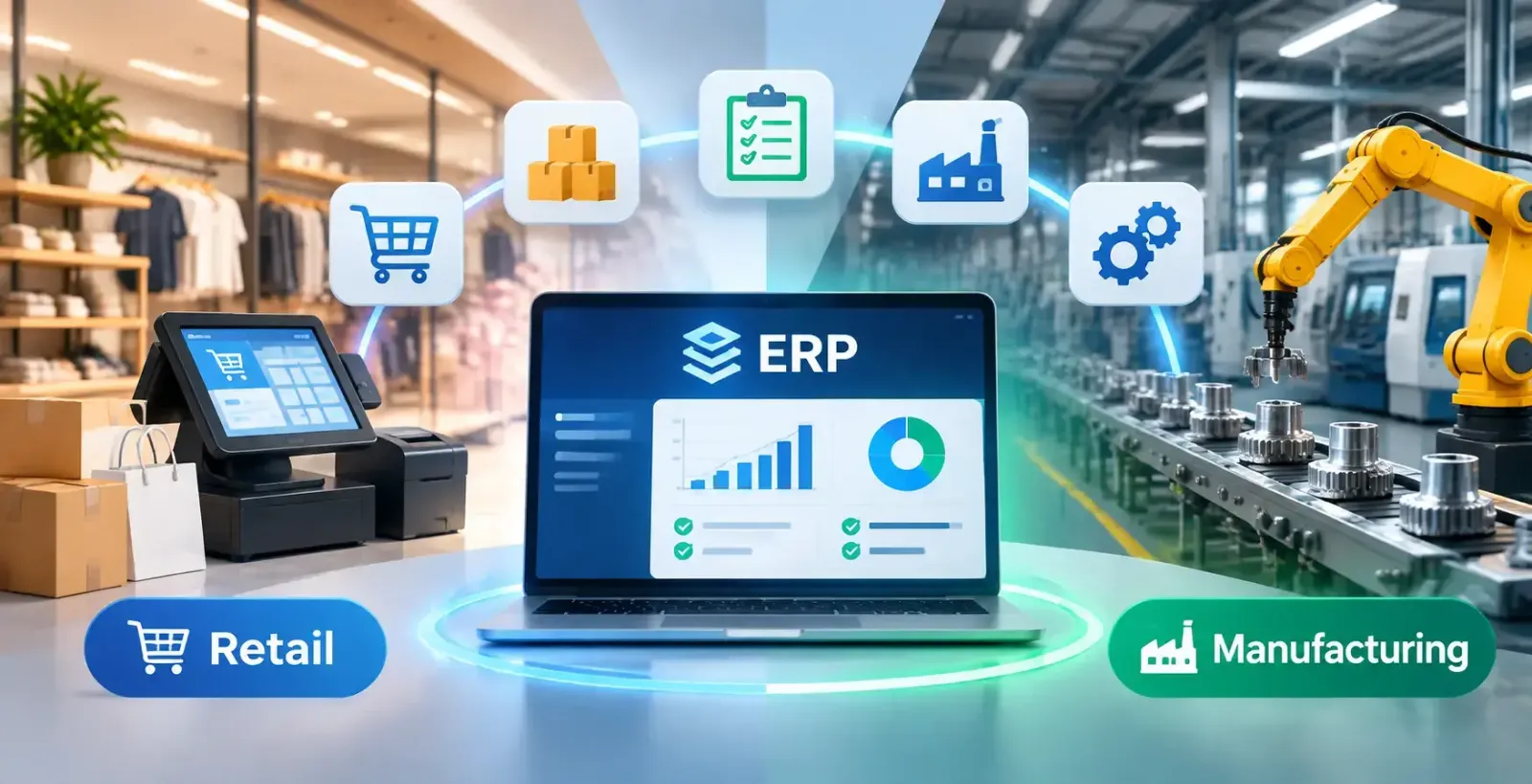
Retail management software connects sales, stock and purchasing. A Point of Sale (POS) system records transactions; retail inventory management software tracks Availability, transfers and replenishment. Multi-site retailers should check stock by location, while e-commerce businesses should check how online orders update Availability. Orbit provides POS software and restaurant management software.
Manufacturing ERP software coordinates materials, production schedules, costs, and quality checks. Manufacturing Resource Planning (MRP) helps businesses calculate the materials and components required to meet production plans. A Bill of Materials (BOM) lists the components needed for a product, while production planning organises work and tracks progress. Orbit lists BOM, production planning, cost control, and quality management. Confirm that the available workflows match your production methods, including how materials and finished products are tracked.
ERP software implementation should start with business requirements. Set the scope, responsibilities, timescales, and migration plan. Orbit lists requirements analysis, workflow mapping, customisation, integration, training, security testing and support.
Identify problems such as stock discrepancies or slow approvals. Decide which teams need the system, what information they require, and which reports managers need. Set goals, prioritise essential modules and decide who will approve changes during the project.
Review customer, supplier, product, stock and financial records. Correct duplicates, map required CRM, POS, accounting or banking connections, and agree what data will be exchanged. Test key workflows before launch, including orders, stock updates, invoices, and reports.
Train users for their roles, from finance workflows to warehouse stock movements. Complete final checks, agree a go-live date, and make support available during the transition. Collect user feedback and resolve issues after launch.
Choose a platform that fits current workflows and likely changes. Compare the actual functions with your requirements, and ask for a demonstration tailored to your processes. Include everyday tasks, exceptions, and month-end work in the demonstration.
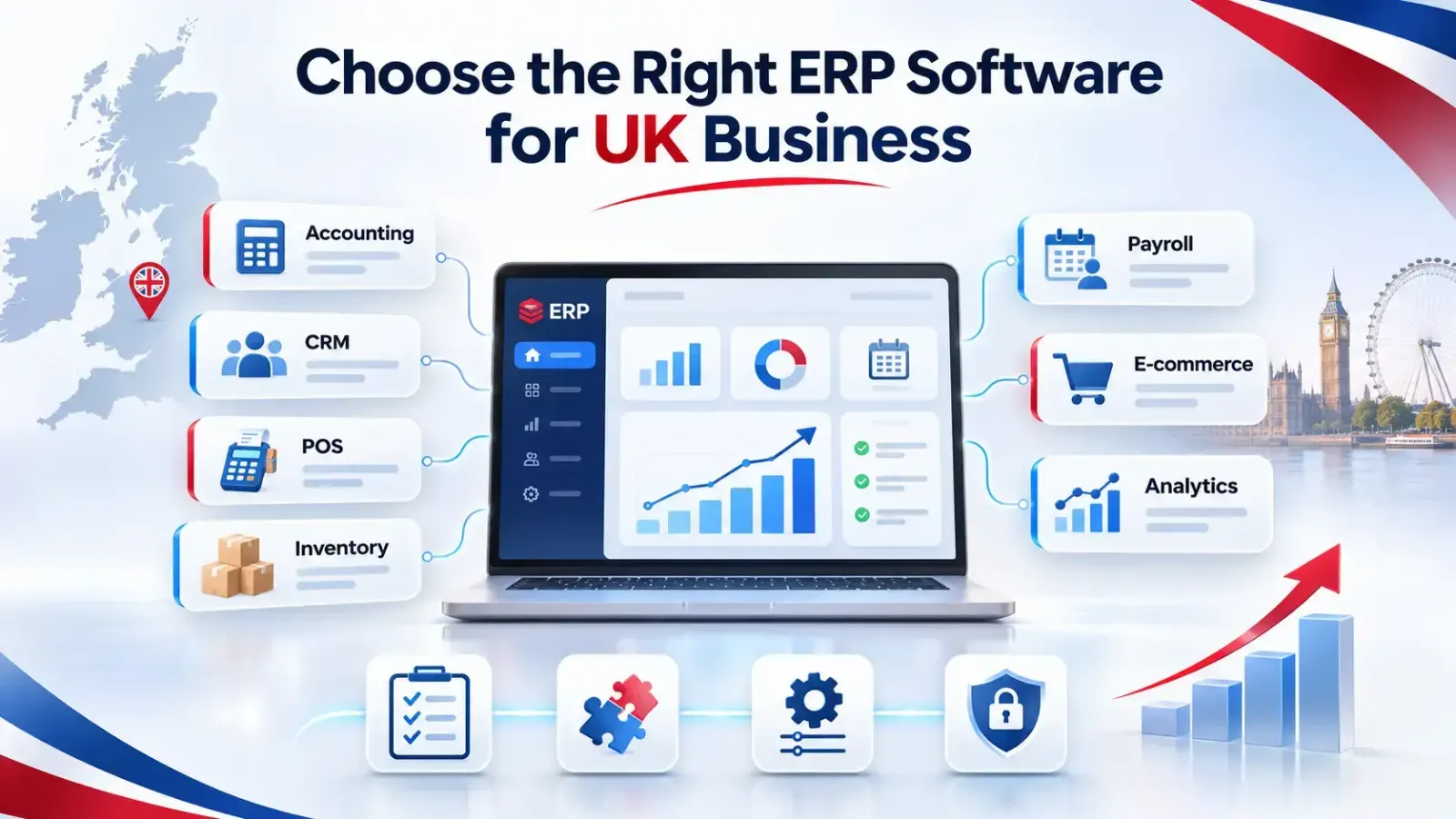
Ready-made software has predefined functions; configurable systems allow workflow changes. Custom ERP software can meet specific requirements but needs clear specifications, testing, maintenance planning, and a realistic budget. Orbit offers software development and customisation. Ask which changes are part of the standard configuration and which require bespoke development.
List required connections, such as accounting, CRM, POS, e-commerce, banking or payroll. Confirm available integrations, synchronised data and how errors are handled. Ask whether integration costs are included in the implementation quote.
Request a breakdown of subscription, implementation, migration, training and support costs. Check user and branch pricing, access permissions, backups, support hours and data export options. Review the service agreement before committing.
Business software does not automatically make a company compliant. Check its record-keeping and security controls, and confirm which organization is responsible for each compliance task.
HMRC requires VAT-registered businesses to keep certain records digitally unless they are exempt, and to submit returns using MTD-compatible software. If records are stored across multiple software products, the required digital links must be maintained. Read HMRC's VAT record-keeping guidance and VAT return guidance. Confirm the setup's compatibility before use; a general accounting feature list is not proof of MTD approval.
A business platform may hold personal data. Check access permissions, backups, and security measures against the risks. See the ICO's data security guidance.
Choose software around the processes that need to connect, from finance and purchasing to stock, sales and production. A clear list of requirements makes supplier discussions and demonstrations more useful. Map your workflows and check integrations, implementation support, and UK compliance requirements. Orbit Media Solutions provides software development, customisation, migration and implementation for UK businesses. Contact Orbit Media Solutions or explore its business software products.
Financial Management
Automates accounting tasks like accounts payable and receivable, manages general ledger, budgeting, and financial reporting.


Human Resources (HR)
Manages employee data, payroll, and other human capital functions.
Supply Chain Management
Oversees the flow of goods and services, from procurement to customer delivery, and includes inventory and warehouse management.
Customer Relationship Management (CRM)
Handles sales, customer service, and tracks customer interactions, orders, and marketing campaign performance.
Analytics and Reporting
Provides real-time dashboards, data visualization, and reporting tools for insights into performance.
Automation
Streamlines repetitive tasks, such as data entry and workflow approvals, to increase productivity.
Integration
Connects with other business systems like e-commerce platforms and third-party applications to create a unified data view.
Cloud Deployment
Offers benefits like scalability, lower IT costs, and easier updates.
Security and Compliance
Includes tools for data security, user access control, and managing regulatory compliance.
Mobile Accessibility
Allows employees to access critical data and perform tasks on the go.
Manufacturing and Production Management
Manages production schedules, quality control, and traceability for manufacturing businesses.
This section answers common questions about ERP systems, explaining what ERP is, why businesses need it, which industries benefit from it, how Orbit ERP stands out, and why ERP solutions like Orbit ERP are suitable for businesses of all sizes.
ERP stands for Enterprise Resource Planning, a software system that centralizes core business processes such as finance, HR, sales, inventory, and operations into a single platform for streamlined management.
ERP helps businesses automate processes, reduce errors, increase efficiency, and gain real-time insights, enabling smarter decision-making and scalable growth.
ERP is ideal for manufacturing, retail, education, healthcare, logistics, finance, hospitality, IT services, and government—essentially any business requiring centralized process management.
Orbit ERP is modular, customizable, cloud-based, and mobile-ready, offering real-time analytics, seamless integration with existing tools, and scalable solutions for businesses of all sizes.
Yes. Orbit ERP is affordable and scalable, making it perfect for small and medium-sized businesses as well as large enterprises.
This section highlights the core modules and capabilities of Orbit ERP, covering its modular structure, mobile accessibility, regular updates, and powerful real-time analytics that help businesses adapt, stay connected, and make data-driven decisions.
Orbit ERP offers modules for Finance & Accounting, HR & Payroll, Inventory & Warehouse, Sales & CRM, Procurement, Project Management, Manufacturing, and Analytics/Reporting.
Yes. Orbit ERP is fully modular, allowing you to add or remove features as your business needs change.
Absolutely. Orbit ERP supports web, tablet, and mobile apps, giving your team access anytime, anywhere.
Copyright © 2026 Orbit
Choose which cookies we may use. You can change this at any time. Read our Cookie Policy.
Needed for the website to work (security, forms, remembering your cookie choice). Always on.
Remember choices you make, such as language and light/dark mode.
Help us understand how visitors use the site (for example Google Analytics), so we can improve it.
Used to measure our adverts and show you relevant ads on other sites (for example Facebook / Meta Pixel).